

As an Amazon Associate, I earn from qualifying purchases. This post contains affiliate links, and I may earn a commission at no extra cost to you. All images are for illustrative purposes only, and actual products and services may differ from those shown.
Having better Wi-Fi coverage throughout your home can make everyday life much easier, especially when you work from home. Whether you’re attending video meetings, browsing the internet, or simply using your devices in different rooms, a weak wireless signal can quickly become frustrating.
That was exactly the problem I had before purchasing the TP-Link Deco X20 Wi-Fi 6 Mesh System (3-Pack) in 2025.
Some rooms in my home had extremely weak Wi-Fi signals, while others had almost no connection at all. I wanted a practical way to improve wireless coverage without having to learn complicated networking technology.
After installing the Deco X20, I noticed a significant improvement almost immediately. The Wi-Fi dead spots were greatly reduced, and the installation process was surprisingly simple.
I’ve now been using the system for more than a year, and I’m still happy with my purchase.
👉 Check the TP-Link Deco X20 (3-Pack) on Amazon (paid link)
This isn’t a technical review filled with speed tests or networking benchmarks. Instead, I’d like to share my experience as an everyday user and explain why the Deco X20 has worked well for me.
Why I Decided to Try a Mesh Wi-Fi System
Before purchasing the Deco X20, Wi-Fi coverage was a frustrating issue in my home.
The wireless signal worked in certain areas, but in other rooms, it was extremely weak or almost nonexistent.
I wanted to be able to use my internet connection more comfortably throughout the house rather than being limited to a few locations.
A mesh Wi-Fi system seemed like a practical option.
Unlike a traditional setup that relies on a single wireless router, a mesh system uses multiple units working together to provide coverage across different areas of a home.
The TP-Link Deco X20 package includes three units, which appealed to me because I wanted to improve the connection in rooms where the Wi-Fi signal had previously been poor.
My goal wasn’t to achieve the fastest possible internet speed. I simply wanted better and more consistent Wi-Fi coverage around my home.
Easy Setup, Even Without Technical Knowledge
One of the biggest advantages of the TP-Link Deco X20, in my experience, is how easy it is to install.
I’m not particularly knowledgeable about networking equipment, so I appreciate products that don’t require complicated technical settings.
With the Deco X20, I started by setting up the first unit as the main device.
Once the initial setup was completed, adding the other two units in different rooms was very straightforward.
In my experience, setting up the additional units was largely a matter of placing them where I wanted them and connecting them to power.
I didn’t need advanced networking knowledge or complicated adjustments for each individual unit.
This simplicity was one of the things that impressed me most.
For someone who wants to improve home Wi-Fi coverage but doesn’t feel comfortable dealing with networking technology, the Deco X20 may be worth considering.
Of course, installation experiences can vary depending on your existing modem, internet service provider, and home network configuration.
But for me, the process was remarkably easy.
The Biggest Improvement: Fewer Wi-Fi Dead Spots
The most noticeable improvement happened immediately after installation.
Before switching to the Deco X20, some rooms in my home had little to no usable Wi-Fi signal.
Once the three Deco units were installed, the difference was clear.
The number of Wi-Fi dead spots was significantly reduced, and I could get a much better wireless connection in areas where the signal had previously been weak.
I wouldn’t say that every dead spot completely disappeared. However, the improvement was substantial enough that I noticed it right away.
This was exactly what I had hoped to achieve when purchasing the system.
I haven’t conducted detailed speed tests or technical performance measurements, so I can’t provide specific numbers comparing the old and new setups.
My assessment is based on the improvement I personally experienced while using Wi-Fi around my home.
For me, reducing those frustrating dead spots has been the most valuable benefit of the Deco X20.
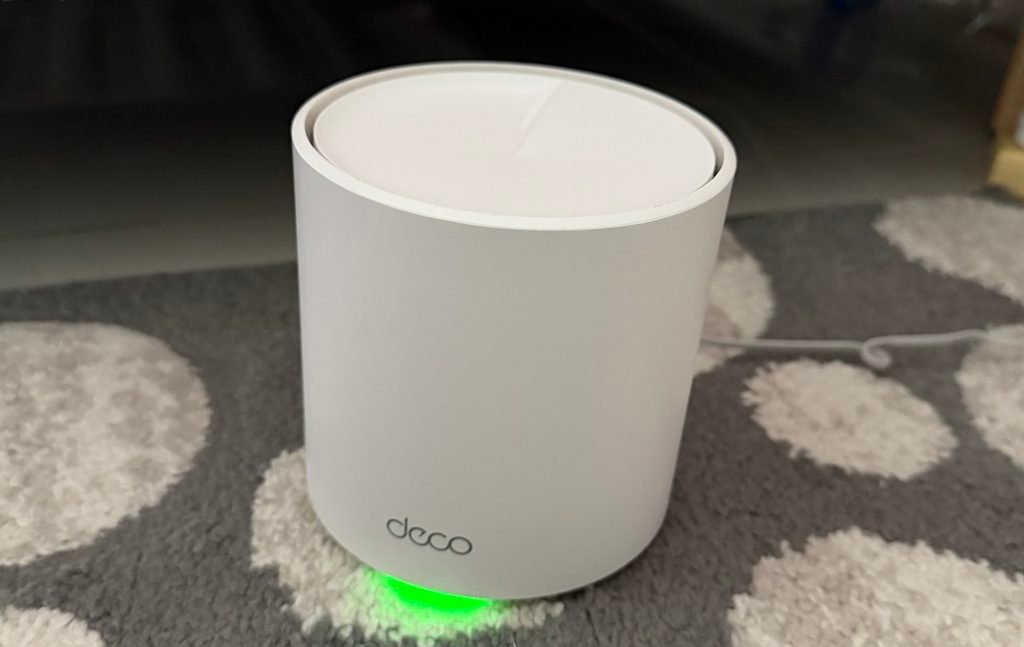
Image for illustrative purposes only
👉 Check the TP-Link Deco X20 (3-Pack) on Amazon (paid link)
My Experience After More Than a Year
I purchased the TP-Link Deco X20 in 2025, and I’ve now been using it for more than a year.
The initial improvement in Wi-Fi coverage was noticeable right after installation, but what matters to me is that I’ve continued to have a positive experience with the system.
The three Deco units have worked well for my everyday needs, and I’m still satisfied with the wireless coverage around my home.
I don’t regularly monitor network statistics or run technical tests. I simply use my internet connection as part of my normal daily routine.
That’s also how I evaluate this product.
For me, a good home Wi-Fi system should be easy to use and provide dependable coverage without requiring constant attention.
Based on my experience over the past year, the Deco X20 has been a satisfying purchase.
Key Features of the TP-Link Deco X20
Although my review focuses on personal experience, it’s also worth looking at some of the features listed in the Amazon product description.
Wi-Fi 6 Mesh Technology
The Deco X20 uses Wi-Fi 6 technology and is described as an AX1800 dual-band mesh Wi-Fi system.
It’s designed to support wireless connectivity across multiple devices and areas of a home.
For households with smartphones, laptops, tablets, smart TVs, and other connected devices, this may be a useful feature.
Coverage of Up to 5,800 Square Feet
According to the product description, the three-pack system offers coverage of up to 5,800 square feet.
The three Deco units work together to provide wireless coverage across different parts of a home.
Actual coverage will vary depending on factors such as wall materials, home layout, unit placement, and interference.
In my own home, I noticed a substantial reduction in Wi-Fi dead spots after installing the three units.
Support for Up to 150 Devices
TP-Link states that the Deco X20 three-pack can support up to 150 connected devices.
This may appeal to households with multiple computers, smartphones, tablets, and smart home devices.
However, the advertised device capacity doesn’t mean every connected device will receive identical speeds or performance.
Deco App for Network Management
According to the product description, the TP-Link Deco app provides step-by-step setup guidance and allows users to manage their home network through a smartphone.
The system also supports certain Alexa voice commands, including guest Wi-Fi controls.
While my personal experience is focused on the simplicity of installation and everyday Wi-Fi coverage, these additional management features may be useful for some households.
Ethernet Ports and Wired Backhaul
The Deco X20 three-pack includes six Ethernet ports in total, with two ports on each unit.
It also supports wired backhaul, which allows the units to communicate through Ethernet connections when connected appropriately.
This provides an additional networking option for homes with Ethernet cabling.
Parental Controls and HomeShield
The Deco X20 includes parental control and network security features through TP-Link HomeShield.
According to the product information, free features include basic network security, IoT device identification, parental controls, Quality of Service (QoS), and basic reports.
Some advanced features may require a paid subscription.
These are manufacturer-listed features rather than functions I’ve personally tested in detail.
Why It May Be Useful for Working From Home
When you work from home, a reliable internet connection becomes an important part of your daily routine.
Video meetings, online collaboration, cloud-based documents, and everyday communication all depend on being able to connect to the internet.
But not everyone works in the same room as their wireless router.
Some people have a dedicated home office in another part of the house, while others move between rooms throughout the day.
If your home has areas with weak Wi-Fi coverage, a mesh system like the Deco X20 may be worth considering.
My own experience is a good example of why.
Before installing the system, some rooms had almost no Wi-Fi signal. After installation, the coverage improved significantly.
And because the setup was so straightforward, I didn’t need to become a networking expert to enjoy that improvement.
Of course, a mesh Wi-Fi system cannot resolve every internet problem. If your internet service itself is unreliable, changing your Wi-Fi equipment may not fix the underlying issue.
But for homes where wireless coverage is the main concern, the Deco X20 offers an option worth exploring.
A Few Things to Consider Before Buying
Although I’ve had a positive experience, the Deco X20 won’t necessarily be the right choice for every household.
Home size: The three-pack may be more than you need for a small apartment or compact home.
Internet plan: The product is advertised as suitable for internet plans up to 1 Gbps. Make sure its capabilities are appropriate for your internet service and needs.
Modem requirements: According to the product description, a modem is required for most internet service providers.
Unit placement: The location of each Deco unit can affect wireless coverage. Different home layouts may produce different results.
Advanced features: Some HomeShield functions may require a subscription.
Actual performance: Wi-Fi coverage and speeds depend on your home environment, connected devices, and internet service.
It’s worth considering these factors before deciding whether a three-unit mesh system is suitable for your home.
Final Thoughts: Is the TP-Link Deco X20 Worth Considering?
After more than a year of using the TP-Link Deco X20, I’m happy with my purchase.
What impressed me most wasn’t a technical specification or a speed benchmark.
It was the combination of two practical benefits: easy installation and a significant reduction in Wi-Fi dead spots.
Before purchasing the system, some rooms in my home had almost no wireless connection.
After installing the three Deco units, I noticed a substantial improvement right away.
The installation was also much easier than I expected, even without advanced networking knowledge.
Not every dead spot disappeared completely, and I can’t guarantee that everyone will have the same experience.
But after more than a year of everyday use, I continue to feel that the Deco X20 was a worthwhile purchase for my home.
If you’re dealing with weak Wi-Fi signals in different rooms and want a mesh system that doesn’t require extensive technical knowledge to set up, the TP-Link Deco X20 is worth a closer look.
Featured Product in This Post
TP-Link Deco X20 Dual-Band Wi-Fi 6 Mesh System (3-Pack)
- Wi-Fi 6 AX1800 dual-band mesh technology
- Advertised coverage of up to 5,800 sq. ft.
- Supports up to 150 connected devices
- Three Deco units with six Ethernet ports in total
- Supports wired backhaul
- App-based setup and network management
- Basic parental controls and HomeShield features
👉 Check the TP-Link Deco X20 (3-Pack) on Amazon (paid link)

Image for illustrative purposes only
Product specifications are based on the Amazon product description. My personal comments reflect my own experience using the Deco X20 since 2025. Actual coverage and performance may vary depending on your home environment and internet connection.